
Cabinet doesn't produce fog
Your Vext 2.0 fogs periodically behind the plant wall. The interval between fogging cycles varies, and fogging mostly happens during the day, within the cabinet's light schedule. If your cabinet is not producing any fog, the most likely cause is a fogger connector that was not fully seated during assembly. The connector sits inside the water tank. Work through the steps below in order.
Step 1: Unplug the cabinet
Unplug the power cable from the mains socket before touching any connectors.
Step 2: Locate the fogger connector
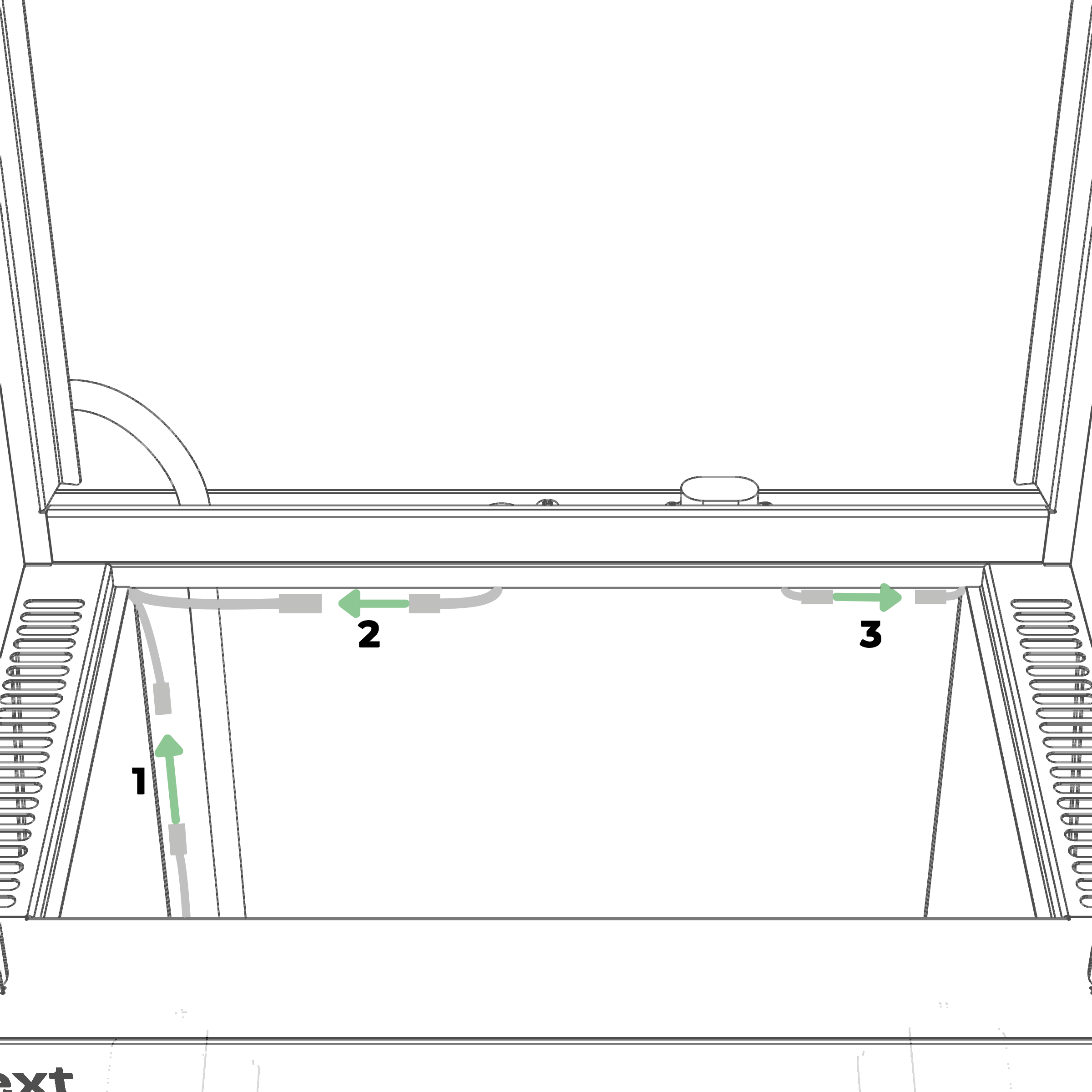
Lift the water tank lid and look inside the water tank. The fogger uses the large connector pair on the left side of the tank.
It's marked 2 in the picture below.
Step 3: Disconnect and reconnect the fogger connector
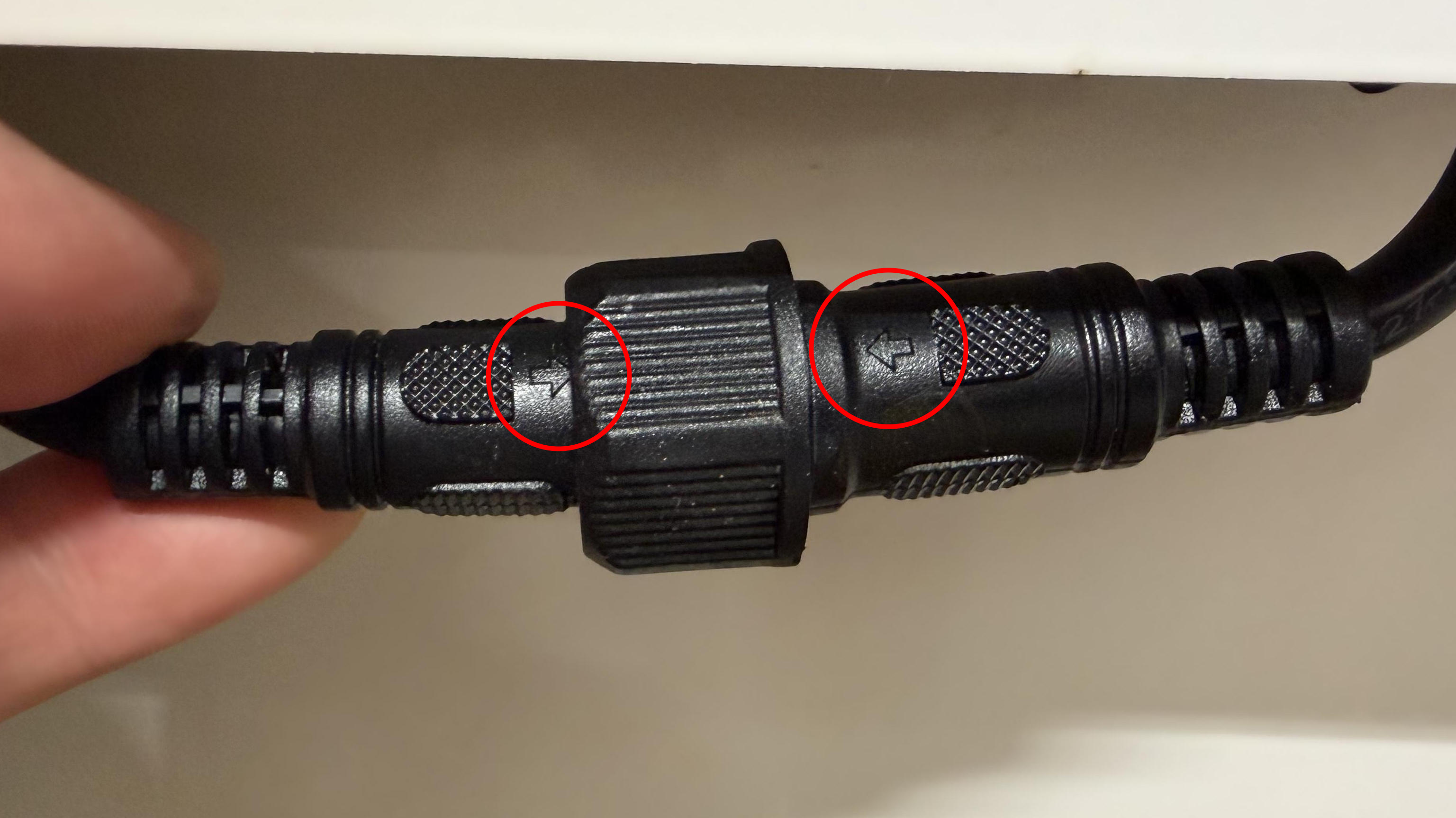
Unscrew the threaded collar on the fogger connector and pull the two halves apart. Then reconnect them: align the arrows on the two halves so they point towards each other, and push the connector firmly until fully seated. Screw the threaded collar back on until hand-tight. This seals the connection against water.
Step 4: Plug the cabinet back in and check for fog
Place the water tank lid back on, plug the power cable into the mains socket, and wait for the cabinet to start. To see behind the plant wall, remove one or two pods together with their pod holders.
After a restart, the fogger should produce some fog within 5 minutes of power on. Three exceptions:
- If it is night in the cabinet's light schedule, it may not fog.
- If it is 1 to 2 days since you added your Vext pods in the app, the cabinet may be in the pod drying phase and does not fog.
- If the button is not green, the cabinet is not in normal mode and will not fog.
If you see fog within 5 minutes, the fogger is working and you are done. Put the pods and pod holders back in place.
Still need help?
If reconnecting the fogger connector did not resolve it, email support@vext.fi and tell us what you found at each step, so we can pick up where you left off.