
Why are cabinet lights blinking?
When the water level gets low, the grow lights pulse a few times every hour to get your attention before the tank runs dry. In almost every case, refilling the water tank is the whole fix. Work through the checks below in order and stop as soon as the blinking stops.
Before you start
This article is about the light bars inside the cabinet. The small button light on the front is a separate light and tells you about the wifi connection.
Step 1: Check the water in the tank
Look at the water level in the tank.
If it's low, top it up with fresh water. The blinking stops once the cabinet registers enough water.
If you've refilled and the app still shows the water as low, or the tank already had plenty of water, go to Step 2.
Step 2: Check the water level sensor cable
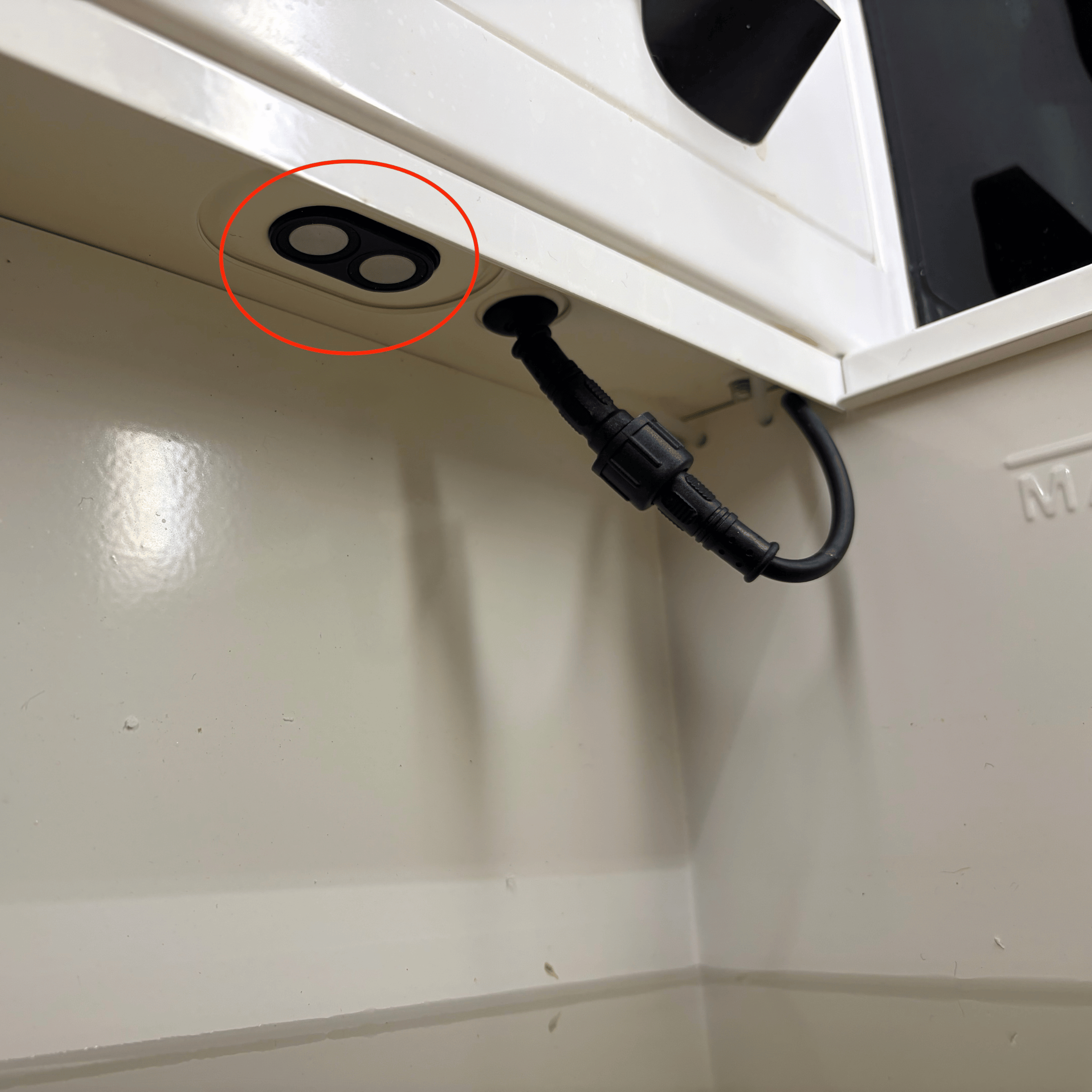
The water level sensor sits on the right side inside the water tank. Anything in front of it, like a cable, gives a false reading.
Open the water tank and check that the cable is tucked up into the roof, as shown in the picture below. If it isn't, move it there. The reading corrects itself once the cable is in place.
If the cable was already in place, or the app still shows the water as low after you moved it, go to Still need help.
Still need help?
If the tank is full and the cable is clear, email support@vext.fi so we can help you. Tell us what you found at each step, so we can pick up where you left off.