
Water level reading looks wrong
If the water level in the app looks wrong, jumps between readings, or does not match the water you see in the tank, the cause is almost always physical. The water level sensor measures the distance down to the water surface and detects changes as small as a millimeter, so an odd reading usually means something is between the sensor and the water, or the water sits too high for the sensor to read. Work through the checks below in order and stop as soon as the reading looks right.
Before you start
These checks all happen inside the water tank, so lift off the water tank lid to look inside. Have a dry paper towel or soft cloth within reach. The water level sensor sits above the water and faces down toward the surface. The image below shows where to find it.
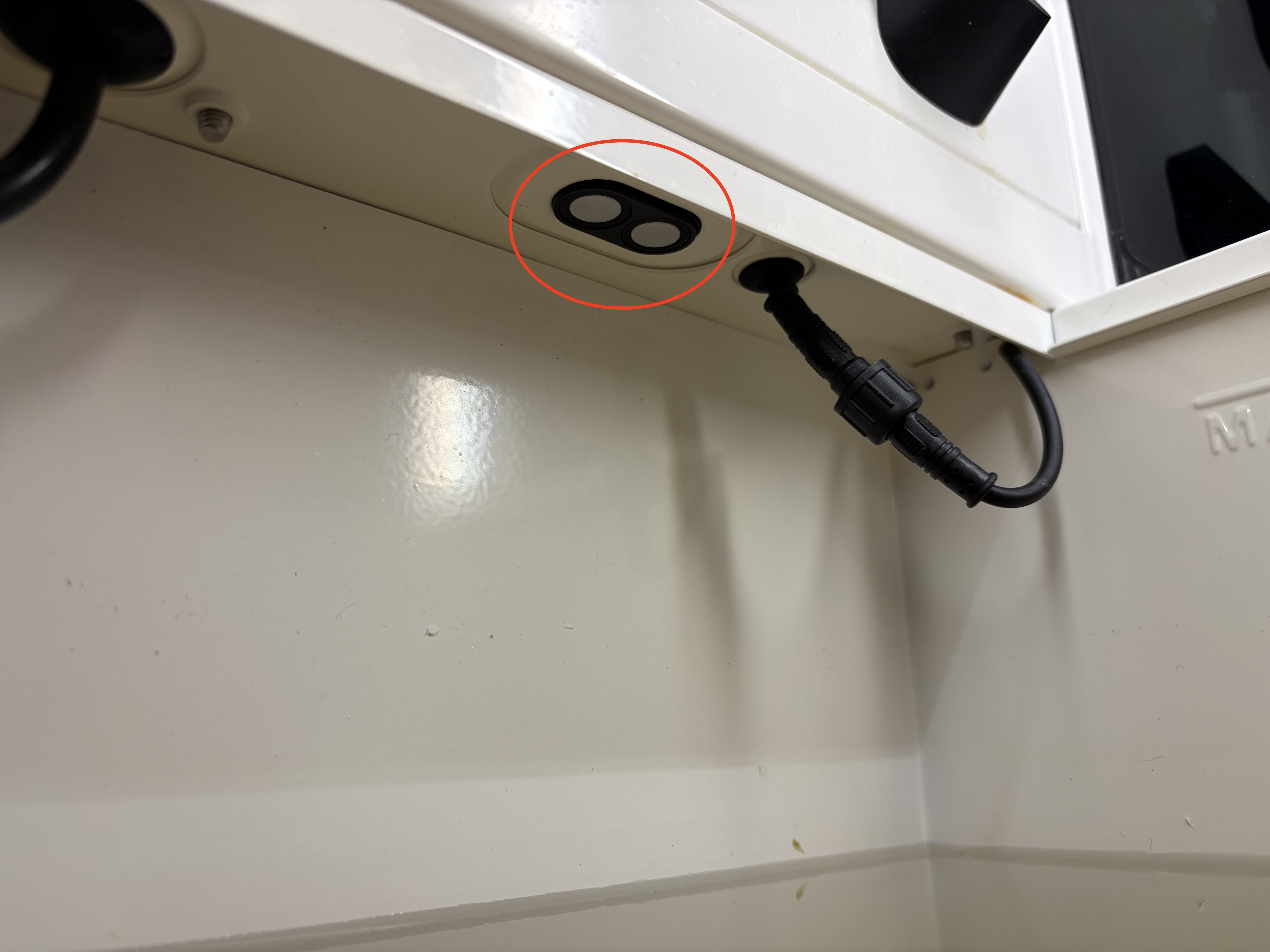
Tip: the app can take a few minutes to show a new reading after you change something in the tank.
Step 1: Check the water level against the max line
Look at the water level in the tank. If it sits above the max line, the sensor does not have enough space above the water to read accurately. Take out a little water until the level sits just below the max line.
Result: if the reading settles, you are done. If not, continue to Step 2.
Step 2: Wipe any water off the sensor
Look at the face of the water level sensor. Water or condensation on it throws off the reading. Wipe the sensor dry with a paper towel or soft cloth.
Result: if the reading settles, you are done. If not, continue to Step 3.
Step 3: Clear anything below the sensor
Check the space directly below the sensor. A cable or any other item there blocks the sensor's reading. Move the sensor's cable clear of the sensor, by pushing the left side of the cable into the frame above.
Result: if the reading settles, you are done. If not, continue to Step 4.
Step 4: Check the drain tube is seated
Fog collecting in the water tank can also disturb the reading. Make sure the drain tube is fully seated: from inside the tank, pull the drain tube downwards until it cannot go further.
Result: if the drain tube was loose, reseating it clears the fog over the next few minutes and the reading settles.
Still need help?
If the reading still looks wrong after all four checks, email support@vext.fi. Tell us what you found at each step and what the app shows, so we can pick up where you left off.